Open SEO Stats: Chrome SEO Toolbar
Updated on Sep 16, 2014: PageRank Status has been renamed to Open SEO Stats because of Google Single Purpose issue.
Free install Chrome SEO toolbar: Open SEO Stats
(Former name: PageRank Status)
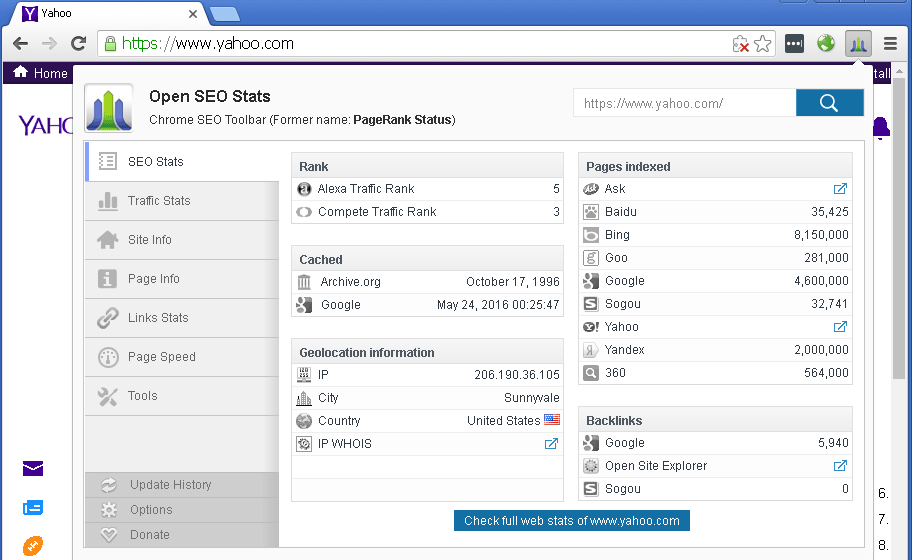
A really SEO extension for Google Chrome to easily access web rank and SEO stats of current web page, get information on Alexa Rank, Compete Rank, Quantcast Rank, backlinks, indexed pages, cached pages, socials, Whois, Geo IP location and more.



Screenshot of Open SEO Stats
Update History
- Open SEO Stats 13.0 (Auguest 16, 2023)
- Support for DuckDuckGo and Naver search engines.
- Support for displaying Pages Indexed data with charts.
- Improve the responsiveness of the UI.
- Fix small bugs.
- Open SEO Stats 12.0 (March 17, 2022)
- Remove Alexa trafic image. Alexa Team has made the decision to retire Alexa.com on May 1, 2022.
- Adjust the presenter mode for Archive.org cache information.
- Improve the checking speed for Chrome verion 99.
- Fix small bugs.
Notice: All Google icons and names are trademarks of Google Inc. All referenced brands, product names, service names and trademarks are property of their respective owner(s).