RSSSubscribeContact  

Join our Chrome FORUM

Chat Chrome news, tips, themes, plugins...

Free Chrome THEMES

Free download Google Chrome themes

You are here: Home > Tag > Chrome

Tag : Chrome


http://www.chromefans.org N/A
  1. [Google Chrome Tutorial] - How to bookmark in Chrome
    The easiest way to create a bookmark for the page you're on is to click the Google Chrome Bookmark star icon next to the address bar. A bubble confirming the addition of the bookmark appears.
    Tags: Synchronize bookmark | Bookmark | synchronize bookmarks | Chrome | Chrome HOW TO
    posted on Apr 28, 2010

  2. [Google Chrome Extensions & Plug-ins] - Update: PageRank Status extension v3.0 for Google Chrome
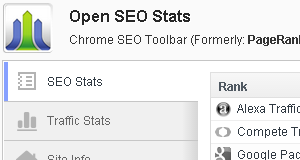
    PageRank Status is a Chrome SEO extension for webmaster. With this extension, you can view the Google PageRank and Alexa Rank of the current web page, quick access to Whois, Alexa, backlinks and indexed pages in a popup window.
    Tags: Toolbar | Extension | SEO | PageRank Status Checker | Chrome | Google PageRank
    posted on Mar 14, 2010

  3. [Google Chrome News] - Chrome extensions site allow developers to upload extensions now
    Google has opened up its gallery for developers to share Chrome extensions, a step that soon should make it easier for people to customize the open-source browser. If you are a developer, you can upload your extension here.
    Tags: Chrome | Extensions | Developer
    posted on Nov 29, 2009

  4. [Google Chrome News] - How to Uninstall Flash Player from Chrome, Firefox, Internet Explorer on Windows or Mac
    You can now remove the player only by using the Adobe Flash Player uninstaller. To remove Flash Player, simply download and run the appropriate uninstaller for your system using the steps below.
    Tags: Flash Uninstaller | Chrome | Firefox | Internet Explorer | Mac | Windows | Flash | Chrome HOW TO
    posted on Oct 12, 2009

  5. [Google Chrome News] - Follow me (@lovechrome) on Twitter.com
    Many friends suggested me to create a Twitter account, I just got one. My Twitter account is @lovechrome, welcome to follow me! :-)
    Tags: Chrome | Twitter
    posted on Aug 17, 2009

  6. [Google Chrome Tutorial] - How to manage my downloads in Google Chrome?
    When you download a file from a website in Chrome, a downloads bar appears at the bottom of the tab where you can monitor the progress of your downloading file. To view your downloads history, click Tools menu, then select Downloads
    Tags: Download Manager | Download | Chrome | Screenshot | Chrome HOW TO
    posted on Aug 15, 2009

  7. [Google Chrome Tutorial] - How to install Adobe Flash Player in portable Chrome
    With Chrome portable version, you can carry it on a USB driver or if you are behind a corporate firewall and can’t install it via internet. Jaxov found a way for installing Adobe Flash Player into your portable Google Chrome, please follow these steps.
    Tags: Flash | Chrome | Portable Chrome | Video | USB | Chrome HOW TO
    posted on Jul 26, 2009

  8. [Google Chrome Extensions & Plug-ins] - Google Chrome extension: Gestures extension
    ChromeGestures is a simple mouse gesture extension for Google Chrome. This extension is designed to add mouse gesture support to Google Chrome, it's considered beta and work in progress.
    Tags: Screenshot | Mouse | Source code | Mouse Gesture | Extension | Chrome | Gesture Extension
    posted on Jul 20, 2009

  9. [Google Chrome Extensions & Plug-ins] - Google Chrome extension: Delicious extension
    I just developed a Delicious extension for Google Chrome, it helps you add the current web page on Google Chrome to Delicious bookmark by one click.
    Tags: Bookmark | Delicious | Extension | Chrome
    posted on Jul 15, 2009

  10. [Google Chrome Extensions & Plug-ins] - New way to package Google Chrome extension
    Extensions are packaged as signed zip files with the file extension crx. With the old way, you must install Python and then download chromium_extension.py to package the extension. The new way directly use chrome.exe to complete the packaging
    Tags: Toolbar | Chrome | Extension | Package Extension
    posted on Jul 12, 2009

  11. [Google Chrome Extensions & Plug-ins] - Firefox Add-ons: Chromin Frame - Makes Firefox resemble Chrome
    If you are a Firefox user but you like the style of Chrome, Chrome Frame is the best choice for you. Chrome Frame is a Firefox add-ons, it replaces the tab bar, title bar and window frame bringing it closer to the Chrome look.
    Tags: Chromifox | Chromin Fame | Firefox | Firefox Add-ons | Chrome
    posted on Jun 04, 2009

  12. [Google Chrome Tutorial] - How to add Bing search engine to Google Chrome
    Bing is a replacement for Live Search, and it went fully online on June 1, 2009. The default search engine of Chrome is Google. You can manually add or edit search engines on Chrome. To Add Bing search engine to Google Chrome, please do following steps.
    Tags: Add Bing to Chrome | Microsoft | Bing | Search Engine | Google | Chrome | Chrome Tutorial | Google Chrome Tutorial | Chrome HOW TO
    posted on Jun 02, 2009

  13. [Google Chrome Extensions & Plug-ins] - Google Chrome Extension: PageRank Status - Google Chrome SEO Toolbar Extension
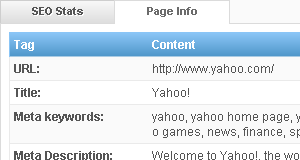
    I just developed a PageRank Status extension, it's a really toolbar extension that automatically shows Google PageRank of the current web page. You can install this PageRank Status Extension with following steps
    Tags: PageRank Status Checker | Extension | SEO | Chrome | Toolbar | Google PageRank
    posted on Jun 01, 2009

  14. [Google Chrome News] - Federico Fieni: Google Vs Microsoft = Chrome?
    Federico Fieni designed a very interesting image and posted on his blog: Google + Microsoft = Chrome? :)
    Tags: Microsoft | Google | Federico Fieni | oneComics | Chrome
    posted on Nov 06, 2008

  15. [Google Chrome News] - Uninstall your Firefox and Internet Explorer? Google Chrome is coming now
    Google launched its browser product - Google Chrome in a beta version on Sep 02, 2008. Google Chrome is a browser that combines a minimal design with sophisticated technology to make the web faster, safer, and easier.
    Tags: Google | Chrome | Google Chrome | Internet Explorer | FireFox
    posted on Sep 07, 2008