Posted by Andrew.
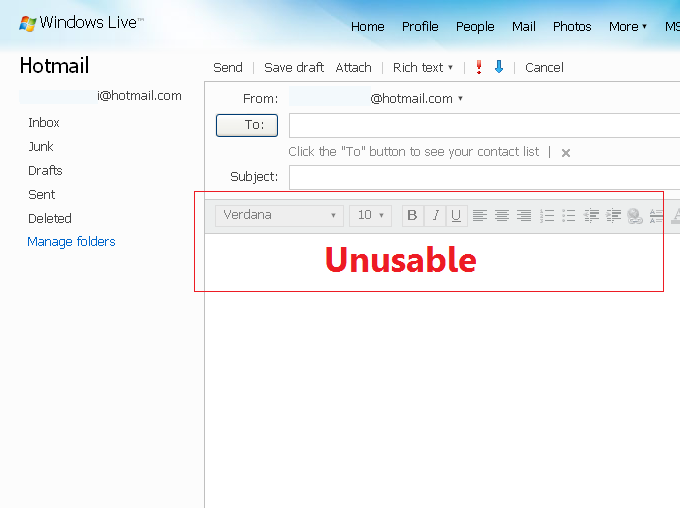
In the Google Chrome beta version(released on Sep 2008), many Hotmail users complained that they can't reply to or compose new email in Hotmail when they using Google Chrome. Today is Jan 15, 2009, Google Chrome has been out of beta and the official version is 1.0.154.43. I just checked my Hotmail account, unfortunately, some of the Hotmail functionalties are missing/not working in Google Chrome still.
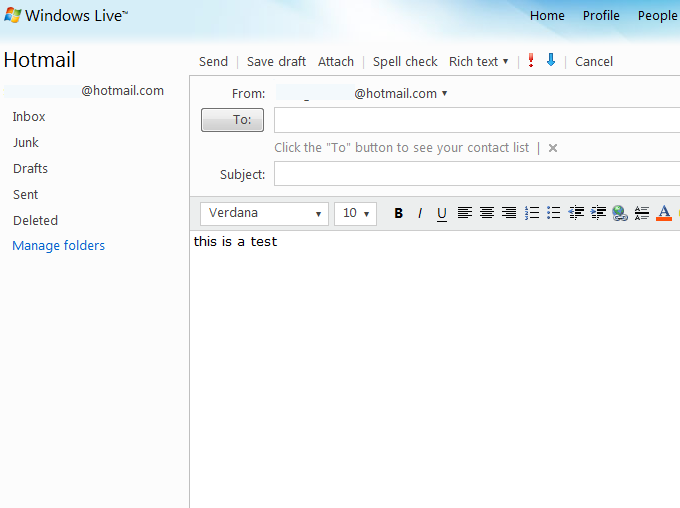
However, Hotmail works fine in Safari. Safari and Chrome are both based on Webkit. We wish Microsoft developers to fix this problem ASAP.
The screenshot: Can't write email in Hotmail when using Google Chrome:
The screenshot: Works fine in Safari:
Update on Jan 25, 2009: A solution to fix the problem that can't reply to or compose new email when using Hotmail in Google Chrome
Google Employee Shawn posted a guide in Google Discussions on Jan 15, 2009, there is a solution to fix the problem that can't reply to or compose new email when using Hotmail in Google Chrome.
You can test it out by downloading the developer build from here http://dev.chromium.org/getting-involved/dev-channel/ or you can wait until the next time your Google Chrome automatically updates. If you do choose to test out the developer build, please do following steps:
- Download and install Developer Build of Chromium.
- Right-click Google Chrome shortcut icon.
- Click on Properties
- In the Shortcut tab, replace the content of Target field with the following. Be sure to change <username> with your user profile name:
- Click OK
"C:/Documents and Settings/<username>/Local Settings/Application Data/Google/Chrome/Application/chrome.exe" --user-agent="Mozilla/5.0 (Windows; U; Windows NT 5.1; en-US) AppleWebKit/525.19 (KHTML, like Gecko) Version/3.1 Safari/525.1"
Shawn said:
Yea, it is a really long string to add to your shortcut. Please note that this is only a temporary workaround and we're still working on a better solution. Stay tuned and I'll keep you guys updated.
More details, visit this article: Having trouble with Hotmail in Google Chrome? Try this work-around!
Update on Jan 31, 2009: Having trouble with Hotmail? Latest update to Google Chrome version 1.0.154.46 fixes it
The original guide post from Google Chrome Help Forum:
[Google Chrome Guide Post] Hotmail Fix
Shawn (Googler)
Google Employee
1/30/09
Hey everyone,
Good news for you all. :) We've submitted a patch that's a temporary workaround for issues with Hotmail as well as Yahoo mail. We're in discussion with Microsoft about the issue and while the Microsoft Hotmail team works on a proper fix, we're deploying this workaround that changes the user agent string that Google Chrome sends when requesting URLs that end with mail.live.com.
If you've been using the --user-agent switch to use Hotmail, you can remove the switch from your shortcuts with this release.
Everyone with the stable and beta version of Google Chrome will be eventually updated to version 1.0.154.46 or you can also update on demand by going to the Tools (wrench) menu, selecting 'About Google Chrome' and checking for updates.
I included a link to our blog post with more information about the update below.
Cheers!
Shawn
Other resource about Google Chrome and Hotmail
- Having trouble with Hotmail in Google Chrome? Try this work-around!
- Google Chrome Plugin: PageRank Status Checker - Check the Google PageRank & Alexa Rank
- Google Chrome Discussions Group: Using hotmail in Chrome
- Previous article: How to make Google Chrome work on Windows 7 Beta 64 Bit
- Next article: How do I add YouTube video search engine to Google Chrome
Can't reply to or compose new email when using Hotmail in Google Chrome