Comment added by Rustam on Dec 07, 2009 06:12 PST(7 months ago):
I get "extensions not enabled" error even when chrome.exe is run with --enable-extensions
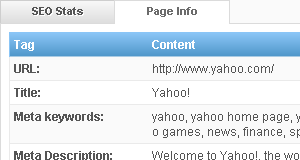
A very simple and effective way of of checking a page rank of a website.
Comment added by Andrei on Dec 08, 2009 04:04 PST(7 months ago):
Hi, I've noticed most new HQ videos don't have a fmt=18 version (mp4) but a fmt=35 (flv) version, so the above code fails for me.
This is what I've used and works for me:
Quote:
javascript:var fmt=35;var success=0;var fmt_url_map = unescape(yt.getConfig("SWF_ARGS")['fmt_url_map']);var fmt_url_a = fmt_url_map.split(',');for(idx in fmt_url_a){fmt_url_a[idx]=fmt_url_a[idx].split('|');if(fmt_url_a[idx][0]==fmt){window.location.assign(fmt_url_a[idx][1]);success=1;break;}}if(success==0){var err_msg = "Video available in these formats:\n";for(idx in fmt_url_a){switch(fmt_url_a[idx][0]){case '5':err_msg+=".flv FLV1-320x240 MP3-22k-mono fmt=5\n";break;case '18':err_msg+=".mp4 H264-480x360 AAC-44k-st fmt=18\n";break;case '22':err_msg+=".mp4 H264-1280x720 AAC-44k-st fmt=22\n";break;case '34':err_msg+=".flv H264-320x240 AAC-22k-st fmt=34\n";break;case '35':err_msg+=".flv H264-480x368 AAC-44k-st fmt=35\n";break;case '37':err_msg+=".mp4 H264-1920x1080 AAC-44k-st fmt=37\n";break;default:err_msg+="unknown format fmt="+fmt_url_a[idx][0]+"\n";};};alert(err_msg);};
If the video doesn't have the requested fmt version a popup will display available fmts for download. You can replace the value of the variable fmt to download the version you want.
The highest quality version is usually first in the list so this code will download the highest quality video file:
javascript:var fmt_url_map = unescape(yt.getConfig("SWF_ARGS")['fmt_url_map']);if(fmt_url_map.indexOf(',') != -1){window.location.assign(fmt_url_map.substring(fmt_url_map.indexOf('|')+1, fmt_url_map.indexOf(',')))}else window.location.assign(fmt_url_map.substring(fmt_url_map.indexOf('|')+1));
Comment added by faten on Dec 09, 2009 12:15 PST(7 months ago):
i can't hear the audio in all videos in utube,facebook etc in spite of that my speakers are working well in different things plz inform me what to do
Comment added by pink on Dec 09, 2009 20:46 PST(7 months ago):
i think they should make a google chrome for windows 2000 also and not only windows xp and 7
Comment added by pink on Dec 09, 2009 20:53 PST(7 months ago):
does anyone know how i can download and install a Google chrome that actually works on windows 2000? if u do please reply to me
Comment added by Rodrigo Schmidt on Dec 10, 2009 06:06 PST(7 months ago):
Thank you.
Do you know how to install it for real?
Comment added by STephen on Dec 11, 2009 21:35 PST(7 months ago):
I cannot loggin...
i use the virtual box to load the image
i used bridged adaptor, rather than NAT
Comment added by
SEO Chennai on Dec 12, 2009 05:01 PST(7 months ago):
i google chrome very much, but i felt bcoz of no feature to check page rank and alexa rank in google chrome,
now its possible
hoorah
Comment added by
megamanexe on Dec 13, 2009 05:13 PST(7 months ago):
i cant do this, i aldready copy paste the URL, but why its doesnt worl? tell me pliz...
Comment added by Minh Vuong on Dec 14, 2009 09:38 PST(7 months ago):
I can't get this to work with VM Fusion. I tried both bridged and NAT modes.
"Network not connected and offline login failed"
Has anyone gotten this to work?
Comment added by khalil on Dec 14, 2009 16:05 PST(7 months ago):
Hi , i can not login i have the same error message :"Network not connected and offline login failed" please help !!
Comment added by Chris on Dec 16, 2009 00:13 PST(7 months ago):
Quote:
I can't get this to work with VM Fusion. I tried both bridged and NAT modes.
"Network not connected and offline login failed"
Has anyone gotten this to work?
Ditto...
Comment added by
Zibri on Dec 16, 2009 12:14 PST(7 months ago):
There is NO NEED for all this!
Just launch Chrome in this way:
chrome.exe --user-agent="whatever you like"
:D
Comment added by John S on Dec 17, 2009 02:25 PST(7 months ago):
Great! thanks a lot
Comment added by JENKINS on Dec 17, 2009 23:11 PST(7 months ago):
how to enable javascript in chrome. whenever i open youtube it says enable javasript
Comment added by Per on Dec 18, 2009 10:49 PST(7 months ago):
If you can't login, try suername "chronos" and password "password" without qoutes :)
Comment added by Abhijit on Dec 19, 2009 09:02 PST(7 months ago):
Hi
Thanks very much. Its great.
Comment added by Jaydeep on Dec 19, 2009 22:15 PST(7 months ago):
Great the plug in's simple and works like magic!! :)
Page: 27 / 46
All Pages:
[1] [2] [3] [4] [5] [6] [7] [8] [9] [10] [11] [12] [13] [14] [15] [16] [17] [18] [19] [20] [21] [22] [23] [24] [25] [26] [27] [28] [29] [30] [31] [32] [33] [34] [35] [36] [37] [38] [39] [40] [41] [42] [43] [44] [45] [46]